
In Grade 10, you learned about home area networks (HANs) and personal area networks (PANs). While HANs are small networks that typically cover a single home, PANs are even smaller and designed to serve a single user. Now, let’s delve into local area networks (LANs) and wide area networks (WANs), which are larger network types used in different contexts.
A local area network (LAN) is a network that spans a relatively small geographic area, such as a building, office, or campus. LANs are commonly used to connect computers, devices, and resources within a limited area. They facilitate the sharing of files, printers, and other resources among users in the network. LANs are typically privately owned and operated by organizations, such as businesses, schools, or government institutions.
LANs usually employ wired connections, such as Ethernet cables, to connect devices to the network. However, they can also use wireless technologies like Wi-Fi for connectivity. LANs are known for their high data transfer speeds and low latency, which enables fast communication between devices within the network.
In contrast, a wide area network (WAN) is a network that covers a larger geographical area, such as multiple buildings, cities, or even countries. WANs are used to connect LANs, remote offices, and other network resources over long distances. They provide connectivity between geographically dispersed locations, allowing users to access shared resources and communicate with each other.
WANs utilize various technologies to establish connections over long distances, including leased lines, satellite links, and internet connections. They often rely on routers and other networking devices to transmit data across different networks. WANs are typically operated by telecommunication companies or internet service providers (ISPs) and may involve public or private networks.
Unlike LANs, WANs have larger latency and lower data transfer speeds due to the longer distances involved. However, WANs enable the interconnection of LANs and facilitate communication and data sharing between geographically separated locations.
Overall, LANs and WANs serve different purposes and cater to different scales of networking needs. LANs are ideal for local environments, like offices or campuses, where fast and reliable communication among devices is essential. On the other hand, WANs are used to connect multiple LANs and provide connectivity over large geographical areas, enabling organizations to extend their networks beyond a single location.
Networks
TYPES OF NETWORKS
Local Area Networks (LANs): A local area network (LAN) is a network that spans a small area, such as an office building, school, or home. It connects computers and devices within the defined area, allowing them to share resources and communicate with each other. LANs can serve a few users in a home or hundreds of users in larger environments.
Wireless Local Area Networks (WLANs): A wireless local area network (WLAN) is essentially a LAN that enables wireless connectivity for devices such as smartphones, laptops, and tablets. WLANs use wireless communication protocols, such as Wi-Fi, to establish connections between devices and the network. This eliminates the need for physical cables, providing greater mobility and flexibility for users.
LANs and WLANs are designed to facilitate resource sharing, including internet connections, printers, servers, and files. They can use a combination of wired and wireless connections to connect devices. Desktop computers and laptops are often connected to the LAN using Ethernet cables, while mobile devices and wireless printers utilize wireless connections.
The choice between wired and wireless connections depends on factors such as the required data transfer speeds, the mobility of devices, and the infrastructure available. Wired connections typically offer faster and more stable data transfer, while wireless connections provide greater flexibility and mobility.
LANs and WLANs play a crucial role in enabling local communication, collaboration, and resource sharing within smaller areas, such as offices, schools, or homes. They form the foundation for many everyday activities, from accessing the internet and sharing files to printing documents and conducting online meetings.
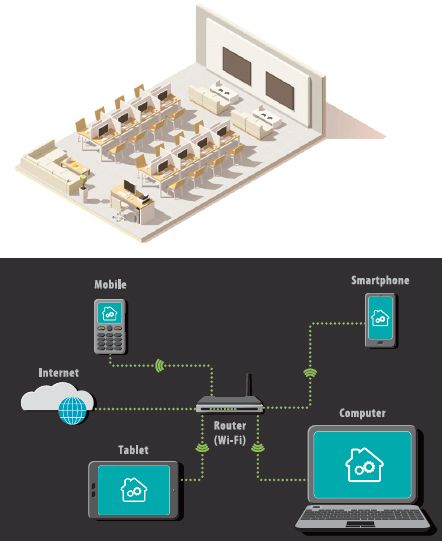
LANs have several advantages and disadvantages. Let’s explore them in detail:
Advantages of LANs:
- Easy Resource Sharing: LANs allow for the easy sharing of software, files, and hardware resources among devices connected to the network. Users can access shared printers, servers, and files, promoting collaboration and efficiency.
- Fast Data Sharing: Files and data can be shared quickly within the LAN, as they remain on the network and do not require uploading to the internet or sending via email. This improves productivity and reduces the time spent on data transfer.
- Centralized Control: LANs can be centrally controlled, making it easier to manage and maintain resources. Network administrators can monitor users, update software, troubleshoot hardware and software issues, and implement security measures from a central location.
Disadvantages of LANs:
- High Initial Setup Costs: Setting up a LAN can involve high initial costs, particularly in larger environments like schools or offices. Adequate resources, such as routers, switches, and cabling, need to be procured to support the number of computers and devices in the network.
- Privacy and Data Risks: There is a potential risk of privacy and data violations in LANs. Network administrators may have access to all the files created by each user. Implementing proper access controls and security measures is crucial to protect sensitive data.
- Security Vulnerabilities: If a LAN is not properly secured, a single infected computer can spread malware or viruses to the entire network. It is essential to implement robust security measures, such as firewalls, antivirus software, and regular updates, to mitigate this risk.
To maximize the benefits of LANs while minimizing the drawbacks, organizations should invest in robust network infrastructure, implement strong security measures, and regularly update and monitor their networks.
WIRELESS LOCAL AREA NETWORK (WLAN) A wireless local area network (WLAN) is a type of computer network that enables wireless communication between devices, forming a local area network (LAN) within a limited area such as a home, school, campus, office building, or computer laboratory. WLANs allow users to connect to the network without the need for physical cables, providing flexibility and mobility within the coverage area.
Users of WLANs can move around the area while remaining connected to the network, allowing for greater convenience and productivity. Wireless technologies, such as Wi-Fi, are used to establish connections between devices, enabling data transfer, resource sharing, and communication within the WLAN.
BASIC COMPONENTS OF A NETWORK A network comprises several basic components, including:
Workstations and Servers: Workstations refer to the computers connected to the network, used by individuals to perform various tasks. Servers, on the other hand, are specialized computers that provide services or resources to other devices on the network. They often handle tasks like storing files, managing user access, and hosting applications or websites.

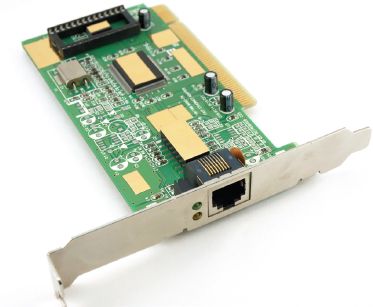
Network Interface Card (NIC): A network interface card, or NIC, is a hardware component that enables a device to connect to a network. It provides the necessary communication capabilities to send and receive data over the network.
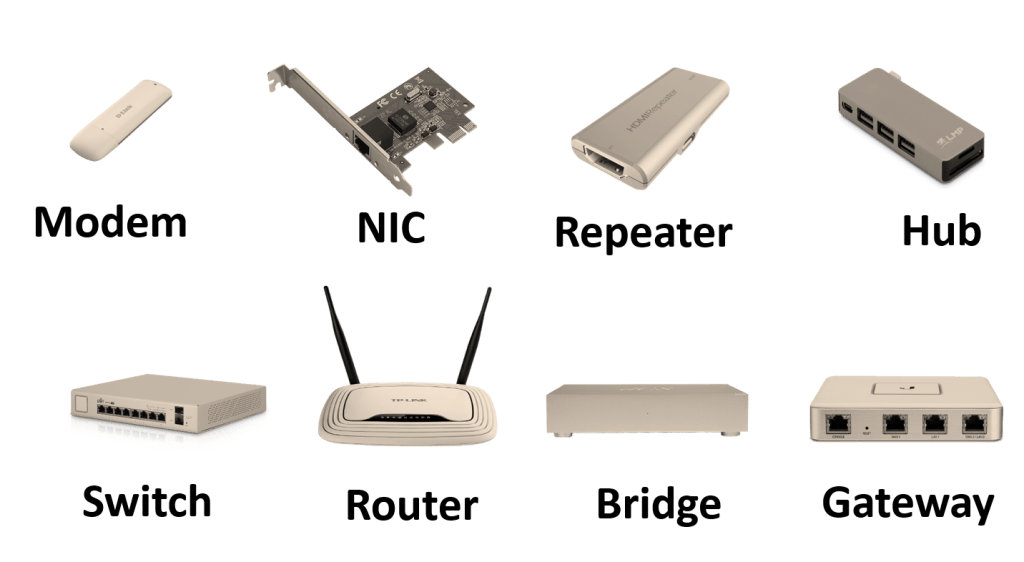
Network Devices: Network devices are the hardware components that facilitate the operation and management of the network. These devices include routers, switches, hubs, modems, and wireless access points. They help in routing data, connecting devices, and ensuring smooth communication within the network.
Communication Media: Communication media refers to the physical or wireless means through which data is transmitted within a network. It can include Ethernet cables, fiber optic cables, or wireless signals. The choice of communication media depends on factors such as the network’s speed requirements, distance, and cost.

Network Software: Network software encompasses the programs, protocols, and applications used to manage and control network operations. This includes operating systems, network management software, security software, and communication protocols like TCP/IP.
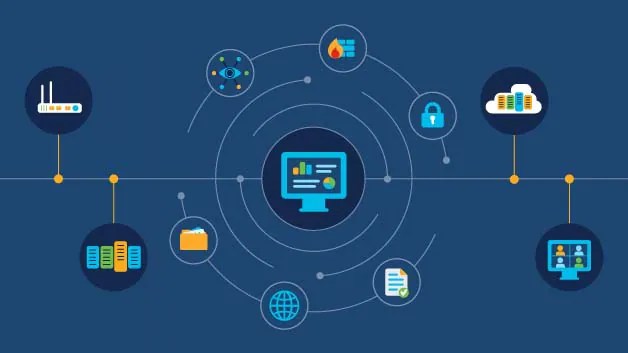
Workstations and servers are designed to cater to specific tasks and may vary in terms of processing power and capabilities. They are equipped with input and output devices, such as keyboards, mice, monitors, and printers, to enable interaction with users.
Overall, the combination of these components forms the foundation of a network, enabling efficient communication, resource sharing, and data transfer among connected devices

Nanotechnology Demystified – Cont’d
Nanotechnology which deals with the research and development of tech at the nanoscale. The nanoscale is so tiny that it demands really powerful microscopes to view and it takes computer modeling to experiment with this minute world. Applications of nanotech date as old as stained glass used in window art in cathedrals. Those windows are…


Nanotechnology Demystified Cont’d
Nanotechnology is an exploration of the world that is a billionth of a meter and a millionth of millimeter. Imagine that! You can’t right? It’s too small, we’ll let me help you with this analogy. Comparing a nanoparticle to a marble is like comparing the globe to a ball. You hair grows one nanometer every…

Nanotech Demystified: nanomaterials
Nanotechnology deals with the control of matter at a molecular or atomic level; a scale at which materials demonstrate properties they wouldn’t on a larger scale. Nanotechnology has applications in medicine, electronics and it also promises amongst many things a new frontier of engineering and material science. As mentioned entire the properties of materials differ…

 Fortizo Tech-hub
Leave a comment